


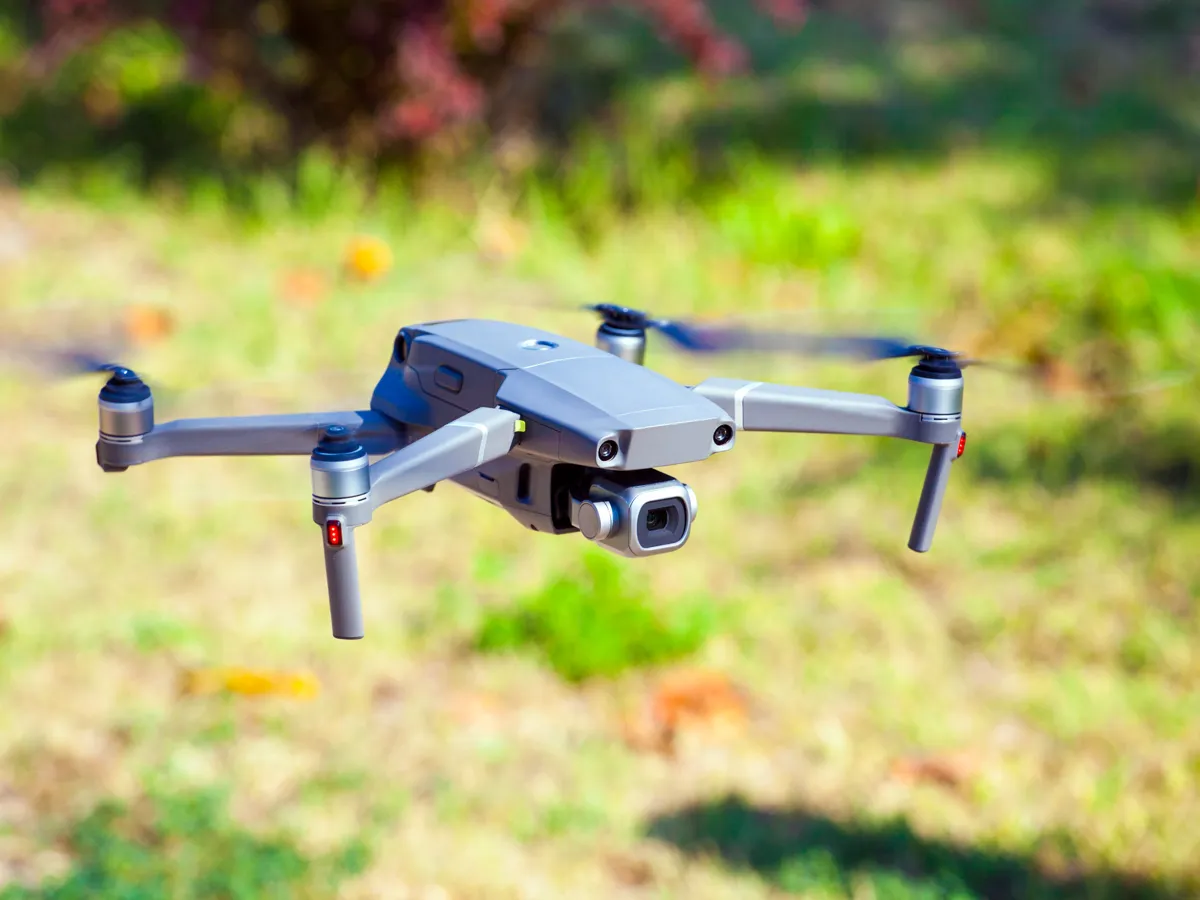
The short answer: for most first-time buyers, the DJI Mini 4K is the drone under 250 grams to get. It’s easy to learn, films smooth 4K video and comes back to you on its own. If you’ll fly near trees or want the best video, step up to the DJI Mini 4 Pro, which senses obstacles all around it. For a gift for a nervous beginner, the DJI Flip has full propeller guards.
The Mini 4 Pro scores a little higher on our scale, but when we checked it cost more than twice as much as the Mini 4K. That’s why the Mini 4K is our default first drone.
All six weigh under 250 grams in their standard setup, so none needs FAA registration if you fly it just for fun. There are still a few things to do before the first flight; see below.
 Best for most first-timersDJI Mini 4KCheck price
 Best camera and safetyDJI Mini 4 Pro (with DJI RC 2)Check price
 Best for nervous beginnersDJI Flip Fly More ComboCheck price
 Best non-DJI camera dronePotensic ATOM 2 (Standard Kit)Check price

DJI Mini 4K
The one to get if you want a real camera drone that's easy to learn on.
- WeightUnder 249 g
- BatteryUp to 31 min
- Video4K, steadied camera
DJI's simplest folding drone does the basics well. The camera sits on a 3-axis gimbal, a motorized mount that keeps video smooth while the drone moves. DJI says it handles wind up to Level 5, about 24 mph.
It's built for new pilots: one tap to take off or land, steady hovering, and a GPS return-to-home that flies it back to you. Preset QuickShots, like a slow pull-away or a circle, film a polished clip with a few taps.
What we like
- Smooth 4K video from a steadied camera
- One-tap takeoff and landing, and automatic return-to-home
- Sold with 1, 2 or 3 batteries (31, 62 or 93 minutes in all)
Watch out for
- No obstacle sensing is listed, unlike the Mini 4 Pro. Fly it as if it can't see trees or walls
- Android phones: DJI says its DJI Fly app has been removed from Google Play, so you download it from DJI's website instead.

DJI Mini 4 Pro (with DJI RC 2)
Worth the extra money if you'll fly near trees and buildings, or want the best video.
- WeightUnder 249 g
- BatteryUp to 34 min
- Video4K/60fps HDR
The Mini 4 Pro senses obstacles in every direction, which DJI says helps it avoid collisions, even for first-time pilots. That's the single biggest safety upgrade over the Mini 4K.
Its camera films 4K at 60 frames per second with HDR, for better sunsets and shadows, and it can shoot tall video for phones. ActiveTrack follows a moving subject. This kit's DJI RC 2 controller has its own bright screen, so you don't need to clip in a phone to see the view.
What we like
- Senses obstacles all around it
- Best video here: 4K at 60fps with HDR, plus vertical shooting
- Controller with a built-in screen
Watch out for
- The most expensive pick here when we checked in October 2026; see the listing for today's price
- Stays under 249 g only with the standard battery. DJI says the larger Plus battery takes it over, and then it needs registering
- Android phones: DJI says its DJI Fly app has been removed from Google Play, so you download it from DJI's website instead.

DJI Flip Fly More Combo
A forgiving first drone, or a gift for someone who'll fly close to people.
- WeightUnder 249 g
- BatteryUp to 31 min
- In the box3 batteries, screen controller
The Flip's propellers sit inside full guards made of lightweight carbon fiber, which DJI says protect you while you fly. It can take off from your palm and come back on its own.
The camera has a larger 1/1.3-inch sensor, which gathers more light, and films 4K at 60fps with HDR. Subject tracking keeps a hiker or a party guest in frame. This combo includes three batteries, a charging hub and the RC 2 screen controller.
What we like
- Full propeller guards for safer flying near people
- Palm takeoff and automatic return
- Three batteries (up to 93 minutes) and a screen controller in the box
Watch out for
- A combo kit, so it costs more than a drone-only box
- Android phones: DJI says its DJI Fly app has been removed from Google Play, so you download it from DJI's website instead.

Potensic ATOM 2 (Standard Kit)
A strong alternative to DJI with a steadied 4K camera and subject tracking.
- WeightUnder 249 g
- BatteryUp to 32 min
- Video4K HDR, steadied camera
Potensic's ATOM 2 has a 1/2-inch Sony sensor on a 3-axis gimbal for smooth 4K HDR video, and 48-megapixel photos. Potensic says its AI tracking can lock onto a subject and follow it, and it has a night mode for low light.
For new pilots it has auto takeoff and landing, a home point you can set, and Smart Return-to-Home. Help is available through chat in Potensic's app.
What we like
- Steadied 4K HDR camera with a 1/2-inch sensor
- Follow, Spotlight and Parallel tracking modes
- Auto takeoff, landing and return-to-home
Watch out for
- The Standard Kit has one battery; plan to add more
- Potensic quotes a 10 km range, but the FAA requires you to keep the drone where you can see it, so you'll never use most of it

Potensic ATOM SE
A budget camera drone with two batteries and a beginner mode.
- WeightUnder 249 g
- Battery2 × up to 31 min
- Video4K/30fps, digital stabilization
The ATOM SE is priced below the ATOM 2, and the big difference is that its camera has no motorized gimbal. It steadies video digitally instead (Potensic calls it ShakeVanish), which works but isn't as smooth as a gimbal in wind.
It comes with two batteries for up to 62 minutes in all, a Beginner Mode, and GPS return-to-home if the signal drops or the battery runs low. Potensic says it handles Level 5 wind and folds small enough for a jacket pocket.
What we like
- Two batteries in the box
- Beginner Mode plus automatic return-to-home
- Follow Me, Waypoint and Circle flight modes
Watch out for
- Digital stabilization, not a gimbal, so video is less smooth
- No memory card included; Potensic says you need one for some updates

Holy Stone HS360S
The simplest GPS camera drone here, and the lowest-priced when we checked, for someone who wants to learn to fly first.
- WeightUnder 250 g
- BatteryUp to 20 min
- Video4K
Holy Stone's HS360S is a simple way to learn. It has a beginner mode, GPS for steady flight, and a return-home function that brings it back when the battery runs low or the connection breaks.
One-tap modes like Spiral Up and Catapult fly and film a clip for you, and Follow Me keeps you in frame. You connect your phone to the controller with a cable to see the live view.
What we like
- GPS and return-home on a simple, low-priced drone
- Beginner mode, plus optical flow positioning to help you practice
- One-tap filming modes
Watch out for
- Shortest flight here, about 20 minutes per battery
- The listing doesn't describe a motorized gimbal, so expect less smooth video than the DJI and ATOM 2 picks
How to choose
- What will you film? For travel and landscapes, get a camera on a gimbal, a motorized mount that keeps video smooth. The DJI Mini 4K, Mini 4 Pro, Flip and Potensic ATOM 2 have one. Cheaper drones steady video digitally, which looks fine on a calm day.
- Where will you fly? Near trees, buildings or people, safety features matter most. Obstacle sensing (Mini 4 Pro) and full propeller guards (Flip) both help.
- How long do you want to fly? Makers quote 20 to 34 minutes per battery, measured in calm air; expect less in wind or cold. Two or three batteries make a day out far more fun, so a bundle with extras is often the better buy.
- Which phone? Most of these use a phone app. Check it supports your phone. DJI’s app now installs from DJI’s website on Android.
Keep it under 250 grams
The FAA counts everything on board or attached to the drone at takeoff. A bigger battery, add-on propeller guards or a strap-on light can tip some models to 250 grams or more. Then the drone needs registering. DJI, for example, says the Mini 4 Pro weighs more than 249 grams with its larger “Plus” battery. If you add anything, check the maker’s weight for that setup.
Buying for someone else? See buying a drone under 250 grams as a gift.
Before the first flight
- Take the FAA’s free safety test. It’s called TRUST, it’s online, and the law requires you to pass it and carry proof when you fly.
- Stay at or below 400 feet, and keep the drone where you can see it.
- Give way to planes and helicopters, and get FAA permission before flying near an airport.
- Flying for work is different. Anything that isn’t purely for fun, even unpaid, can count as work flying, with its own FAA rules (what counts as recreational).
- Check local rules. States, cities and parks can have their own.
The details, in plain words: do you need to register a drone under 250 grams?
How we rate
Every pick weighs under 250 grams in its standard setup, by the maker's own figure. A drone that's only under the line without its camera or with a smaller battery isn't listed. We then score each one out of 10 on four things, weighted for a first camera drone flown for fun: how well it does its core job (40%), meaning its camera, flight time and wind handling as the maker specifies them; safety and ease for a new pilot (25%), including return-to-home, obstacle sensing and how forgiving it is to fly; app and US availability (20%), including whether the model is still sold in the US and works with your phone; and value (15%), counting the batteries and extras you'll actually need.
We have not flown or tested these drones ourselves. We read every bullet of each maker's Amazon listing and, where the maker publishes one, its specification page. A model needed thousands of ratings to make the shortlist, but we don't quote reviews or star ratings. No brand pays for placement, and a commission cannot buy a higher rating. When a pick changes, we will say so on this page.
Frequently asked questions
Are the cheap no-name drones under 250 grams worth it?
Some are fine toys, but we left them out. Many have only a handful of reviews, little support, and listing claims that are hard to check. A drone from an established maker comes with a support site and spare batteries you can actually find.
Do I need Remote ID?
No, not for a drone under 250 grams that you fly just for fun and haven’t registered. Remote ID, a signal that identifies the drone in flight, applies to drones that must be registered or have been. So if you register one anyway, or set it up at 250 grams or more, it needs Remote ID.
Sources
- FAA: How to register your drone
- FAA: Recreational flyers and community-based organizations
- FAA: Remote identification of drones
- eCFR: 14 CFR 48.15, requirement to register
- FCC: Fact sheet and FAQs on foreign-made drones and the Covered List (January 7, 2026)
- FCC: Public notice DA 26-758 on previously authorized foreign drones (July 21, 2026)
- DJI: Mini 4 Pro specs
- DJI: Flip specs
- FAA: The Recreational UAS Safety Test (TRUST)
- FCC: Covered List